Launch offer: MatricX Bake for $49 $79 — save $30 Get the deal
MatricX Bake All add-onsHome Get it — $49
MatricX Bake 1.7.8 · Blender 4.5 – 5.2

Procedural Materials In.
Game-Ready Textures Out.

Node materials only live inside Blender. MatricX Bake turns them into clean PBR texture sets — one object, a whole collection, or one shared atlas — with your decals baked in, and exports the asset for Unity, Unreal or Godot.
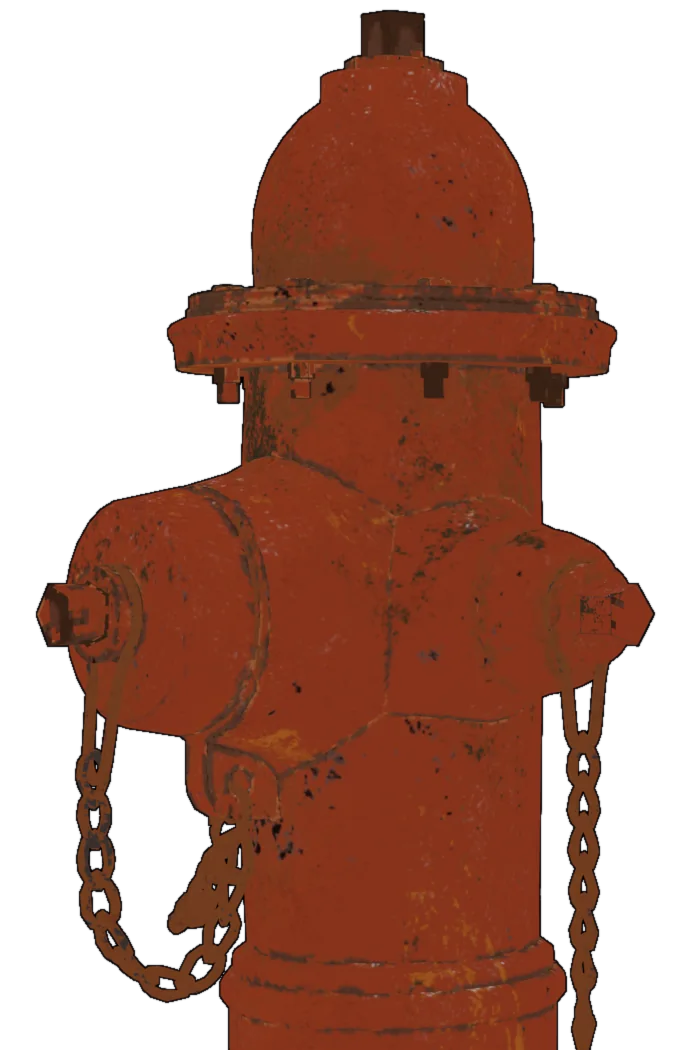
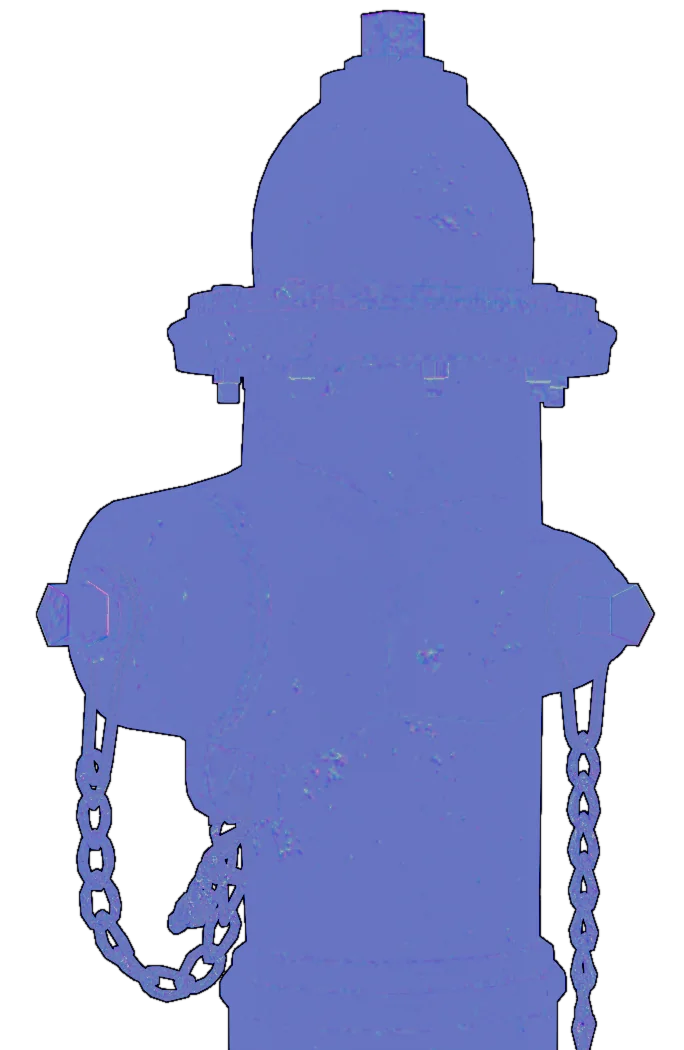
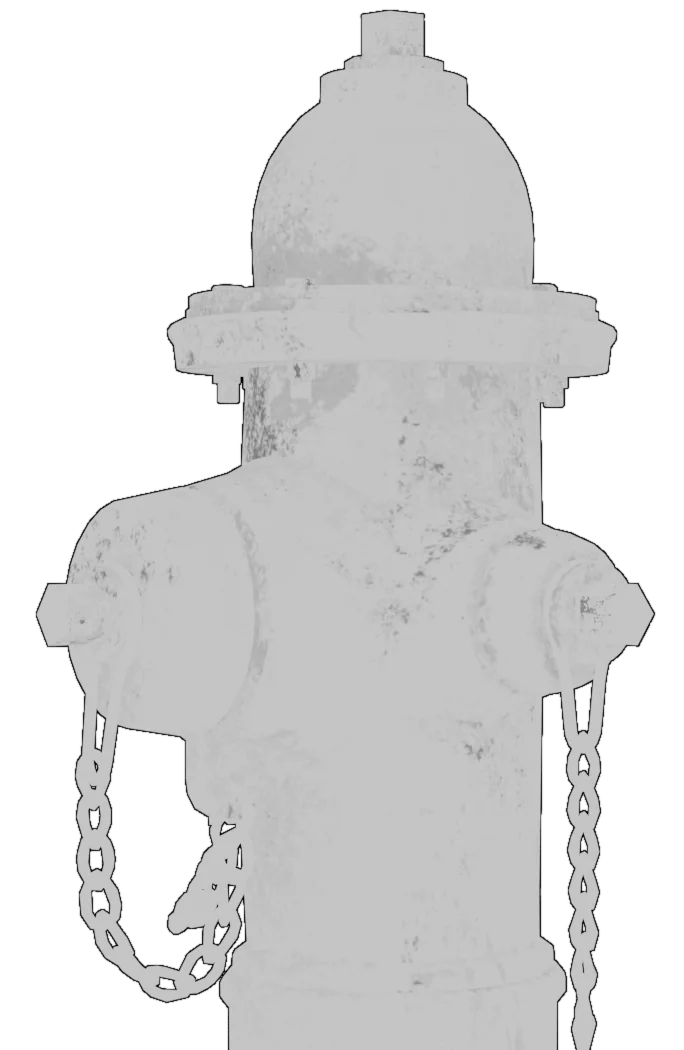
A worn red fire hydrant baked by MatricX Bake, shown split into its Base Color, Roughness, Normal and Metallic maps.
Baked texture set

One Material In.
Four Maps Out.

Hover or tap a map to see it on the model; tap again for the split view.

A procedural fire hydrant material, baked by MatricX Bake into clean PBR maps

$79$49LAUNCH PRICE · SAVE 38%

9
Map types
8K
Max resolution
4
Engine export presets
4.5+
Blender, tested to 5.2
The problem

Looks Perfect in Blender.
Breaks Everywhere Else.

Game engines, other renderers and asset stores can't read Blender node trees. Procedural wear, decals and glass have to become ordinary image textures first — and doing that by hand means bake setups, UV juggling and rewiring materials for every object.
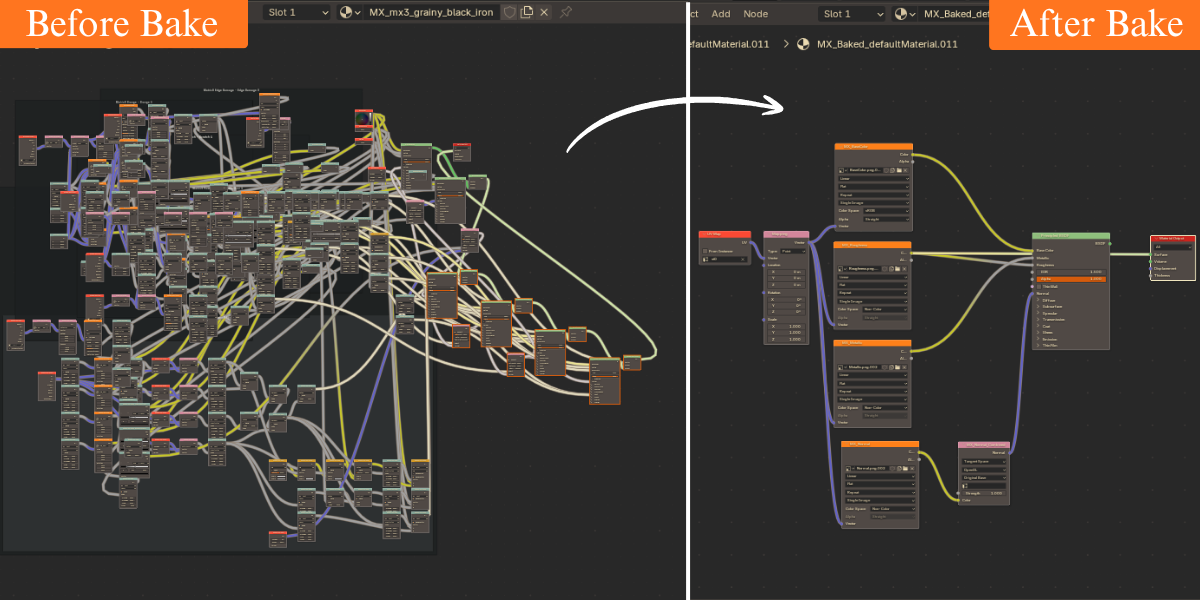
Before bake: a huge tangle of procedural shader nodes. After bake: a clean material with four image textures and one Principled BSDF.
Base ColorLit ColorRoughness MetallicNormalAmbient Occlusion EmissionOpacityHeight ORM · ARM · RMA packing

One Panel. The Whole Bake.

Everything lives in one sidebar panel, numbered in the order you use it.

Bake Every Map
You Need

Pick the maps, press Bake. MatricX Bake reads each material — mix shaders, color ramps, gradients, glass — and writes clean, separate PBR maps.
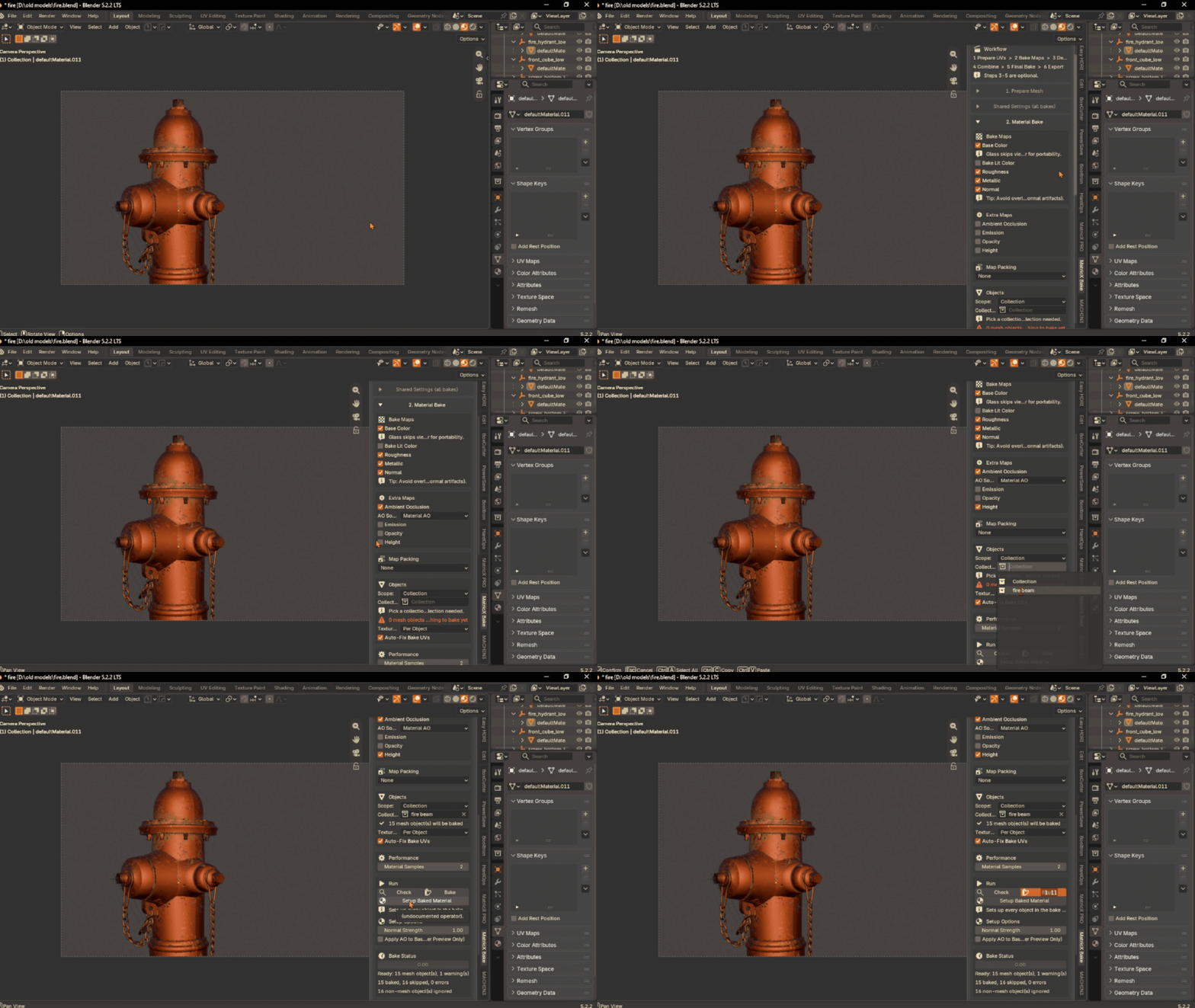
  • Base Color, Roughness, Metallic, Normal, AO, Emission, Opacity, Height — plus an optional Lit Color with your scene lighting
  • Pack channels as ORM, ARM or RMA for realtime engines
  • 512 to 8K · PNG, TGA or EXR · GPU or CPU
Choosing the maps to bake for a fire hydrant in the MatricX Bake panel, then baking them.
IMPROVED IN 1.7.8

One Texture Set
for the Whole Asset

Bake every part of a model — selected objects or a whole collection — into one shared atlas, one material and one set of maps.
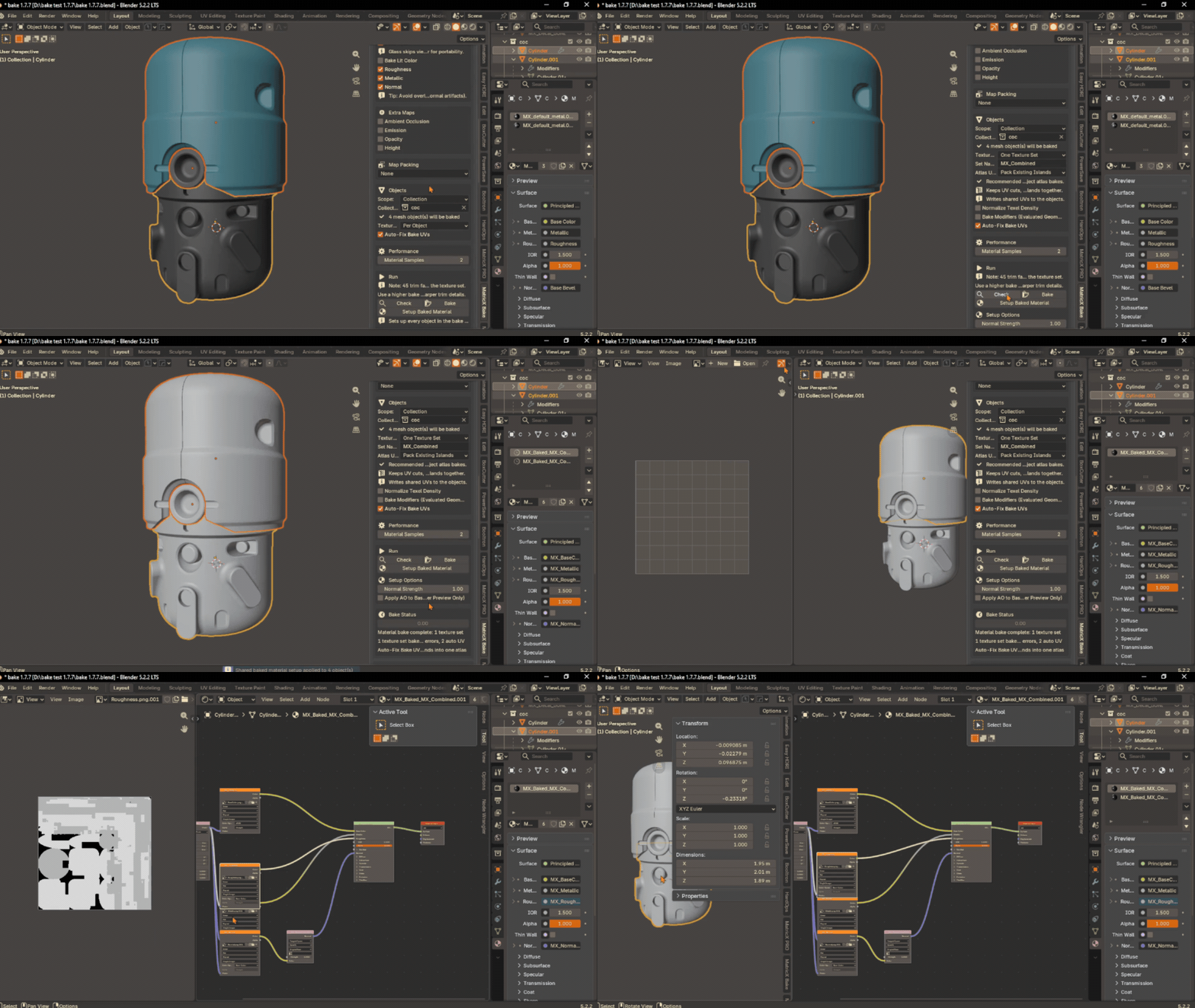
  • Pack the islands you already have, or rebuild a clean shared atlas
  • Every part keeps its own rotation, scale and mirroring, so procedural wear looks the same as in your viewport
  • Setup Baked Material puts the result back on every part with the right UV map
Baking a multi-part model into one texture set with MatricX Bake, then setting up the baked material.

Your UVs
Stay Yours

Bake checks every UV map before it bakes. Overlapping, stacked, zero-area or out-of-tile UVs get a dedicated bake UV (MX_BakeUV) — your own UV map is never replaced.
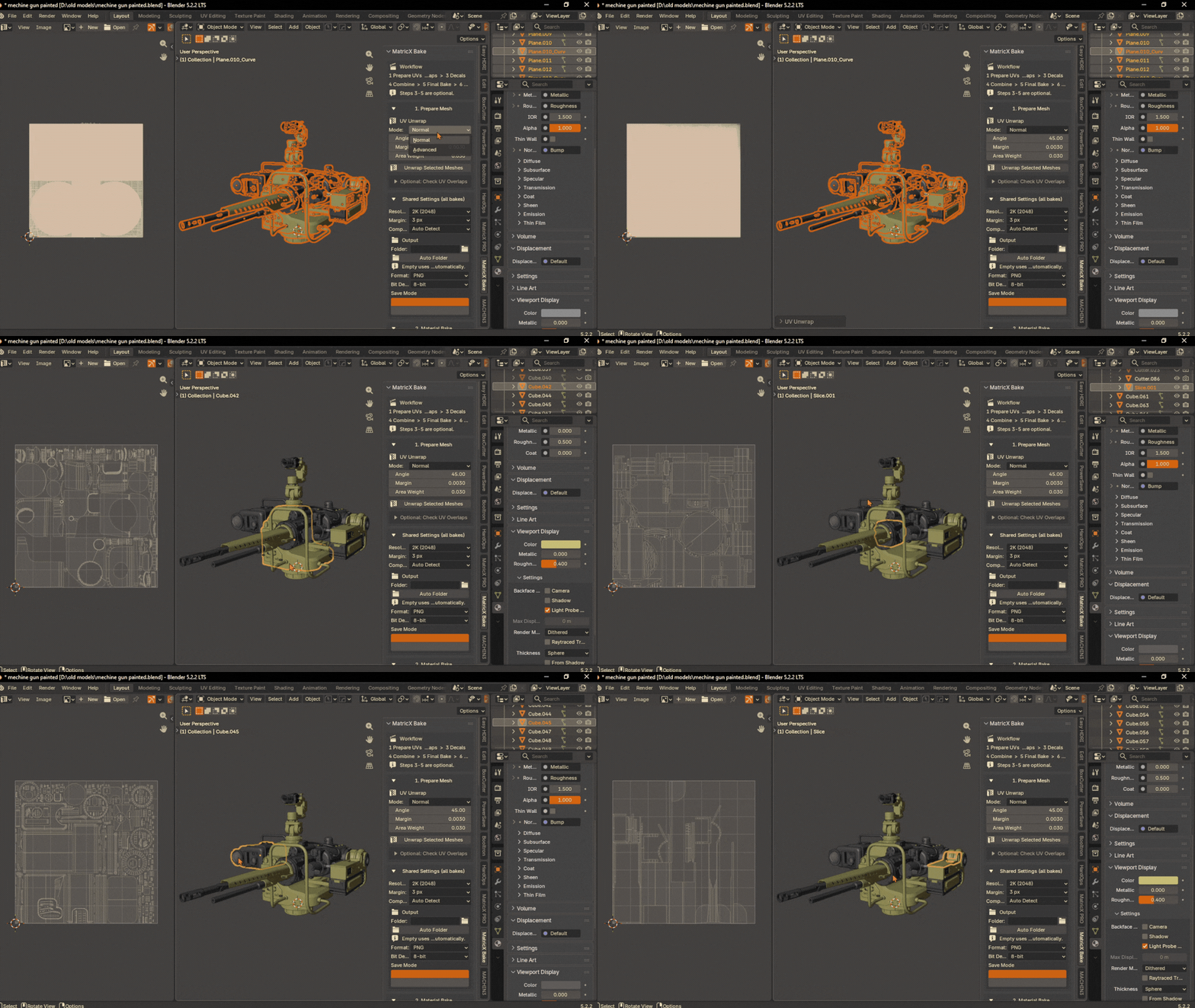
  • Normal UV Unwrap for simple meshes; Advanced UV Unwrap with MinistryOfFlat for dense ones (Windows)
  • MatricX PRO trim faces keep their exact place on the trim sheet
  • Every bake step hands your active UV map back afterwards
Unwrapping a turret model with MatricX Bake's Prepare UVs step.

Decals,
Baked In

Floating decals don't survive an export. Bake them straight into the texture set of the mesh they sit on.
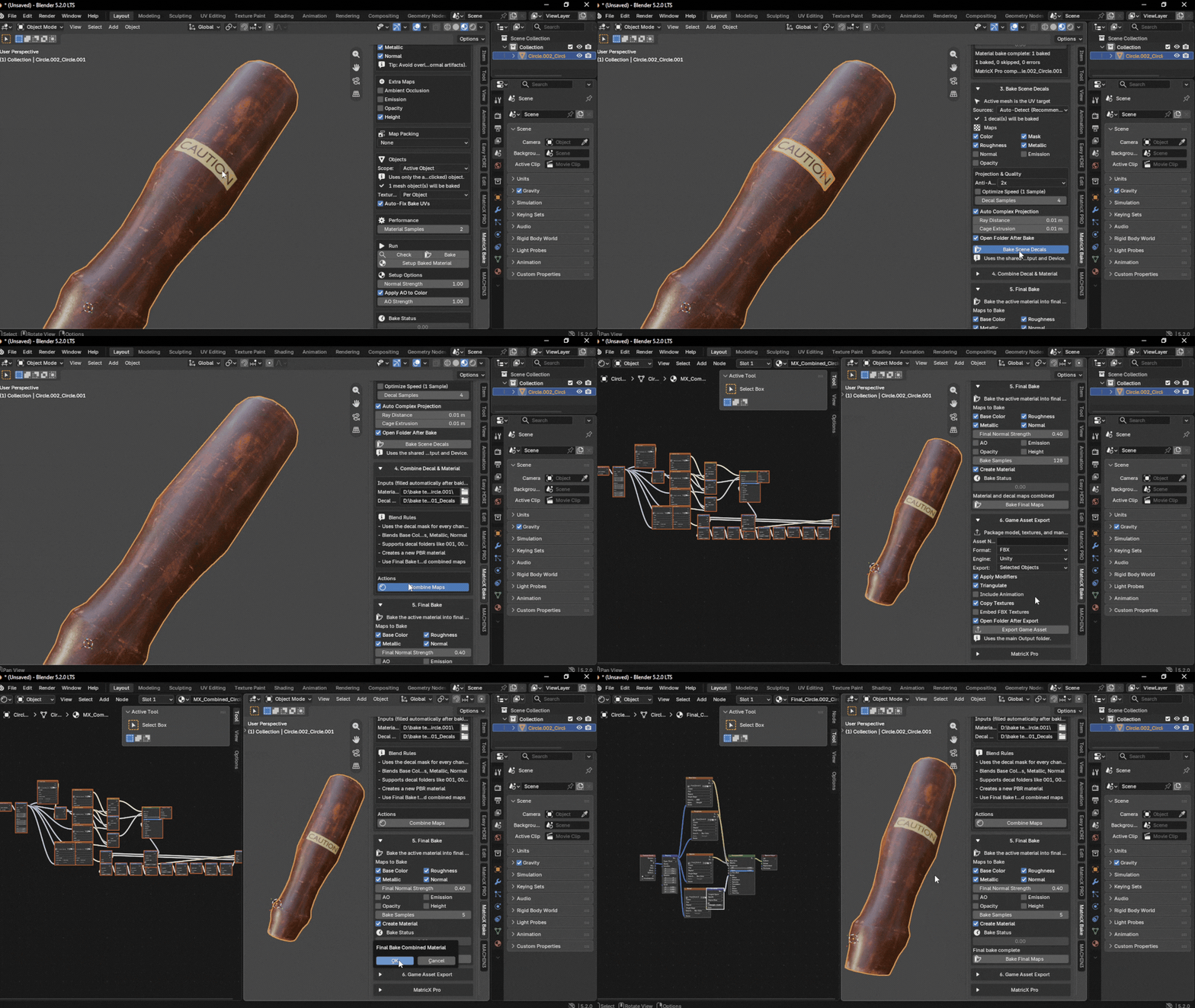
  • Auto-Detect finds MatricX PRO and DECALmachine decals parented to your model
  • Combine Decal & Material blends the decal maps over the base maps
  • Final Bake flattens everything into one finished texture set
Baking decals and combining them with the material maps in MatricX Bake.

Export
Straight to the Engine

Game Asset Export packages the model, its textures and a manifest in one click.
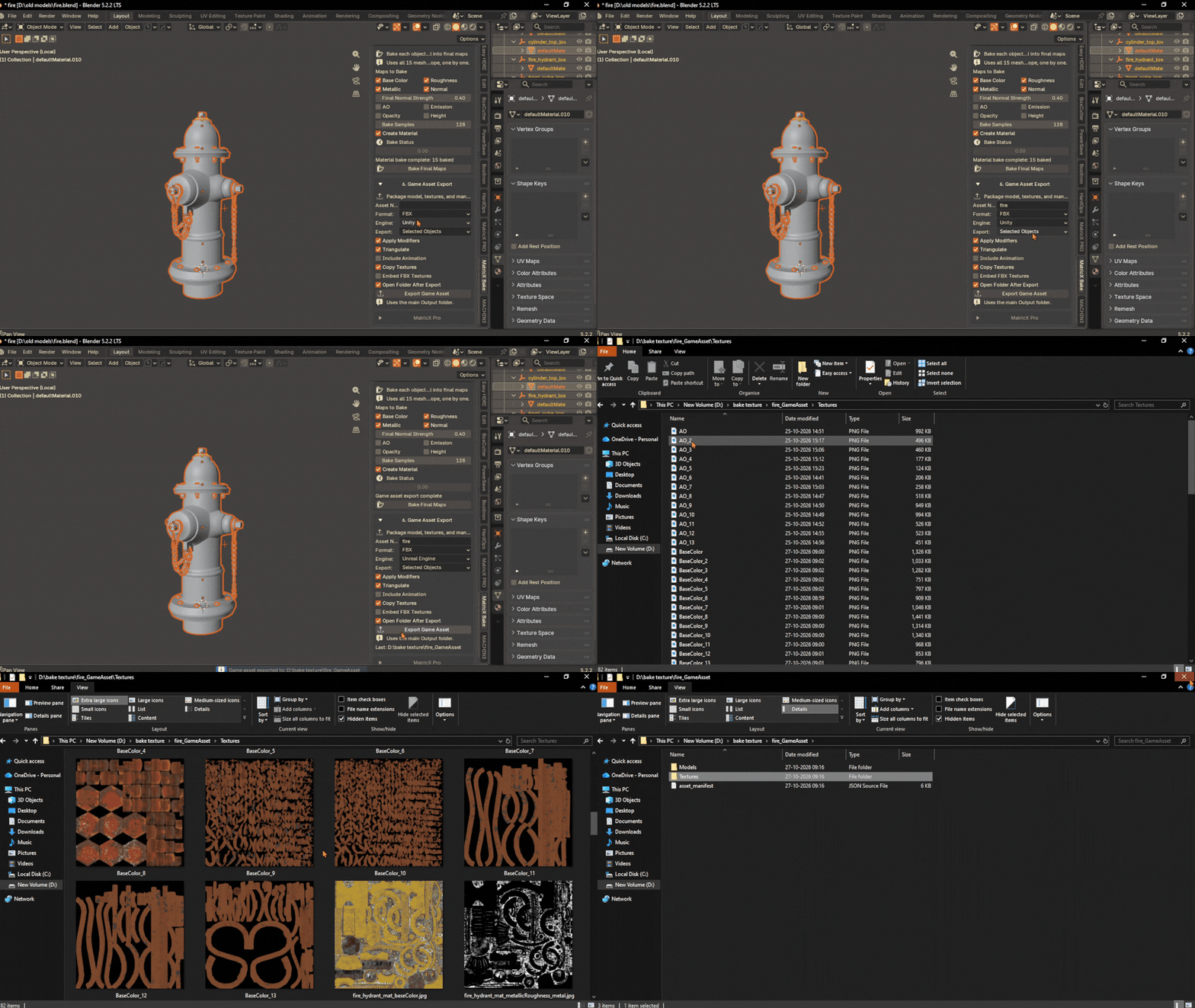
  • FBX or GLB, with presets for Unity, Unreal Engine, Godot or Generic
  • Base Color, Roughness, Metallic and Normal wired so engines pick them up; GLB carries AO as Occlusion
  • The baked UV becomes UV channel 0; every map is copied beside the model
Exporting a baked fire hydrant with Game Asset Export, then the exported model and texture files in the output folder.
How it works

Six Numbered Steps

Most assets only need the first two. Add the rest when your model has decals or is going to a game engine.

01

Prepare UVs

Unwrap, or let Auto-Fix make a clean bake UV beside your own.

02

Bake Maps

Choose the scope and the maps, Check, Bake — then Setup Baked Material.

03OPTIONAL

Bake Decals

Bake parented or selected decals into the model's UV space.

04OPTIONAL

Combine

Blend the decal maps over the base material maps.

05OPTIONAL

Final Bake

Flatten the combined material into one finished texture set.

06OPTIONAL

Export

Package FBX or GLB with its textures for your engine.

Made for MatricX PRO

Texture With MatricX PRO.
Ship With MatricX Bake.

MatricX Bake understands the MatricX PRO 2.1 collection, so the look you built bakes the way it looks.

MatricX PRO 2.1 support

  • ImperfectionsAll 16 types, painted masks included
  • MaterialsEvery material family
  • Edge RoundingBaked into the normal map
  • GlassTinted, Scope, Chromatic and Iridescent
  • Trim sheetsAtlas and Mesh trims

Not a MatricX PRO user?

  • Any Blender materialSimple shaders to complex node setups
  • DecalsMatricX PRO, DECALmachine, or your own meshes
  • GlassExported as one portable Principled shader
Launch offer

MatricX Bake for $49

Every feature on this page, one purchase. The launch price is $49 — regular $79.

LAUNCH PRICE
$79$49
You save $30 (38% off)
Get MatricX Bake — $49 Other stores: Blender Market · Payhip
  • Instant download: add-on and Blender Extension
  • Blender 4.5 – 5.2 · Windows, macOS and Linux
  • Bakes any Blender material, MatricX PRO included
  • Buy on Blender Market, Gumroad or Payhip
Want MatricX PRO too? The MatricX Bundle includes both add-ons for less than buying them separately. See the MatricX Bundle →
What you get

Requirements & Downloads

In the box

  • Add-on packageMatricX_Bake_1.7.8_Addon.zip
  • Extension packageMatricX_Bake_1.7.8_Blender_Extension.zip
  • DocumentationIncluded in the add-on · Online guide

Requirements

  • Blender4.5 or newer · tested on 4.5, 5.1 and 5.2
  • SystemsWindows, macOS, Linux (one build)
  • Render engineCycles (bundled with Blender)
  • GPUCUDA, OptiX, HIP, Metal or oneAPI where available; CPU always works
  • InstallClassic add-on or Blender Extension
FAQ

Questions, Answered

Is $49 the permanent price?

No. $49 is the launch price. The regular price is $79.

Do I need MatricX PRO?

No. MatricX Bake bakes any Blender material. It also has built-in support for MatricX PRO 2.1: all 16 imperfections, every material family, its glass and its trim sheets.

Can I bake several objects into one texture?

Yes. Set the scope to Selected Objects or a Collection and the Texture Set to One Texture Set. Every part shares one atlas and one material, and keeps its own rotation and scale while baking.

Do my UVs have to be perfect?

No. Leave Auto-Fix Bake UVs on: when a UV map overlaps or is stacked, MatricX Bake creates a separate bake UV and keeps yours untouched. Step 1 can also unwrap for you.

Which game engines does the export support?

Game Asset Export writes FBX or GLB with presets for Unity, Unreal Engine and Godot, plus a Generic preset. The baked UV is UV channel 0 and every map is copied beside the model.

How do decals end up in the texture?

Bake Scene Decals bakes decals parented to (or selected with) your model into its UV space. Combine Decal & Material layers them over your maps, and Final Bake flattens the result.

Does it run on macOS and Linux?

Yes — it is pure Python on Blender's own APIs, one build for every system. The optional Advanced UV Unwrap uses MinistryOfFlat, which is Windows-only; on macOS and Linux it uses Blender's built-in unwrap.

Add-on or Extension — which do I install?

Either; they are the same tool. Install one, not both. The Extension uses Blender's Get Extensions installer, the Add-on uses the classic Add-ons installer.

MatricX Bake 1.7.8

Stop Rebuilding Bakes.
Start Shipping Assets.

From node materials to an engine-ready texture set, in one panel.

$79$49launch price